Overview & Pedagogical Objective
Starting a new language habit often feels overwhelming when confronted with complicated interfaces. The Deliberate Shadowing Academy greets first-time learners with a guided, distraction-free Onboarding Spotlight designed to build immediate confidence.
Rather than diving blindly into recording, the first-time onboarding experience grounds you in three foundational principles:
- Auditory Priming: Hearing the native cadence before attempting vocalization.
- Cognitive Comfort: Customizing your visual environment with high-contrast, low-fatigue studio color palettes.
- Frictionless Audio Hardware Setup: Validating your microphone and permissions before beginning deliberate takes.
flowchart LR
  subgraph Welcome ["1. Welcome & Orientation"]
    W1["Spotlight Modal\n(Frosted Glass Isolation)"]
    W2["3-Step Method Primer\n(Listen · Record · Audit)"]
  end

  subgraph Vibe ["2. Personalization"]
    V1["Studio Theme Selection\n(Sage Linen · Copper · Obsidian)"]
  end

  subgraph Setup ["3. Hardware & Readiness"]
    S1["Local Storage Stamping\n(esa_onboarding_completed)"]
    S2["Microphone Permissions\n(Zero-Latency Linear PCM)"]
    S3["Echoic Mode Unlocked\n(Cue Isolation Active)"]
  end

  Welcome --> Vibe
Vibe --> SetupFirst-Time Arrival & The 3-Step Deliberate Method
Pay attention to the three-step learning progression: (1) Listen & Absorb, (2) Record Your Take, and (3) Audit Auditory Disparity. Internalizing this loop prevents passive listening traps.
When launching the workstation for the first time, the Onboarding Spotlight automatically mounts with a frosted glass backdrop. Review the three steps and keyboard shortcuts.
The Onboarding Spotlight isolates the screen with a focused modal. It breaks down the Deliberate Shadowing Method into digestible stages:
- Step 1: Listen & Absorb (Space) — Hear native prosody, reductions, and boundary tones.
- Step 2: Record Your Take (M) — Vocalize aloud during the pause.
- Step 3: Audit Auditory Disparity (C) — Listen to your take side-by-side with the native model to diagnose acoustic differences.
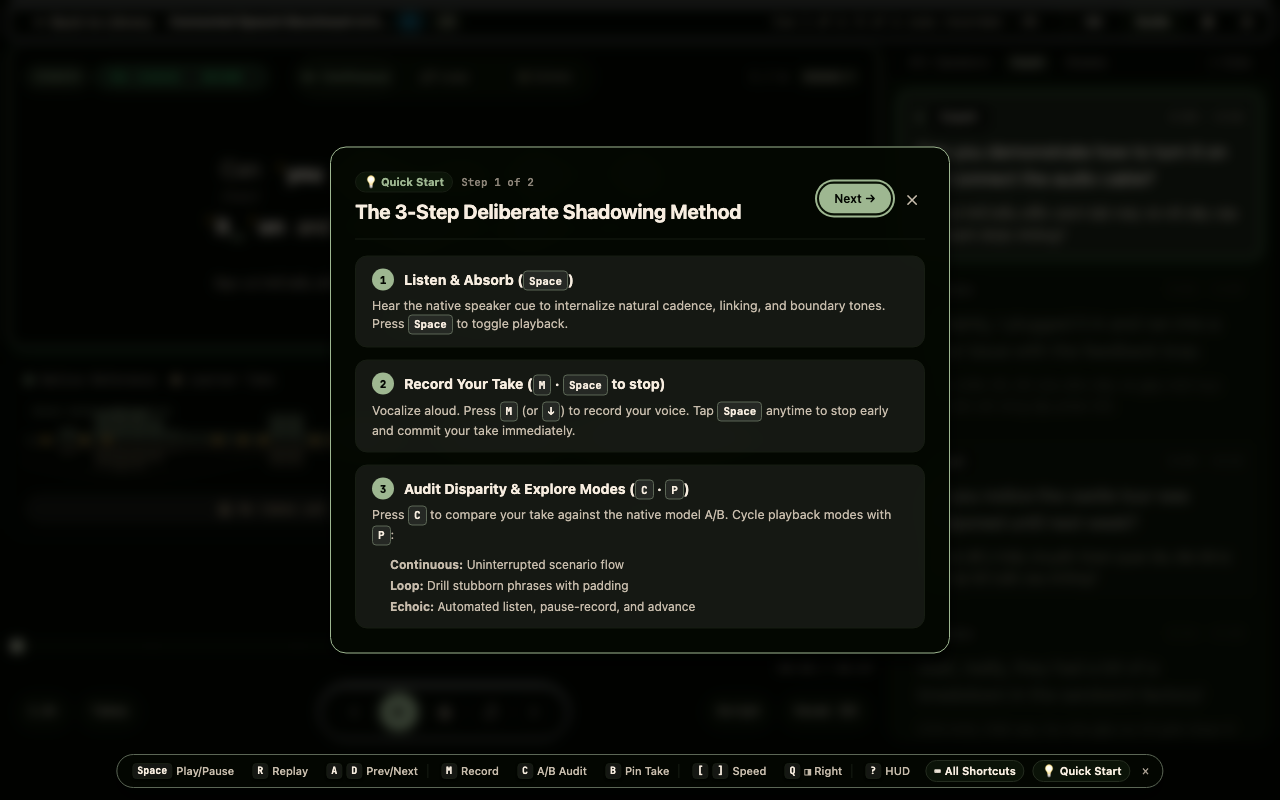
Take note of the hotkeys early: Space toggles playback, M arms your microphone, and Space commits your take. Mastering hotkeys keeps your focus 100% on listening rather than clicking.
Rushing past the methodology primer. Deliberate shadowing requires deliberate turn-taking; vocalizing without first absorbing the native rhythm leads to fossilized phonological mistakes.
Studio Aesthetic Personalization & Theme Picker
Visual contrast directly affects acoustic focus. Select a palette that keeps subtitle waveforms legible without straining your eyes during extended 15-minute shadowing workouts.
Press 'Next →' to advance to Step 2. Select your preferred color palette from the interactive Theme Picker (such as Sage Linen, Copper Espresso, or Obsidian Dark).
The studio provides multiple handcrafted dark and light palettes engineered for optimal WCAG contrast. Selecting your theme during onboarding instantly stamps your preference into your profile, persisting across all Studio and YouTube Cadence workstations.
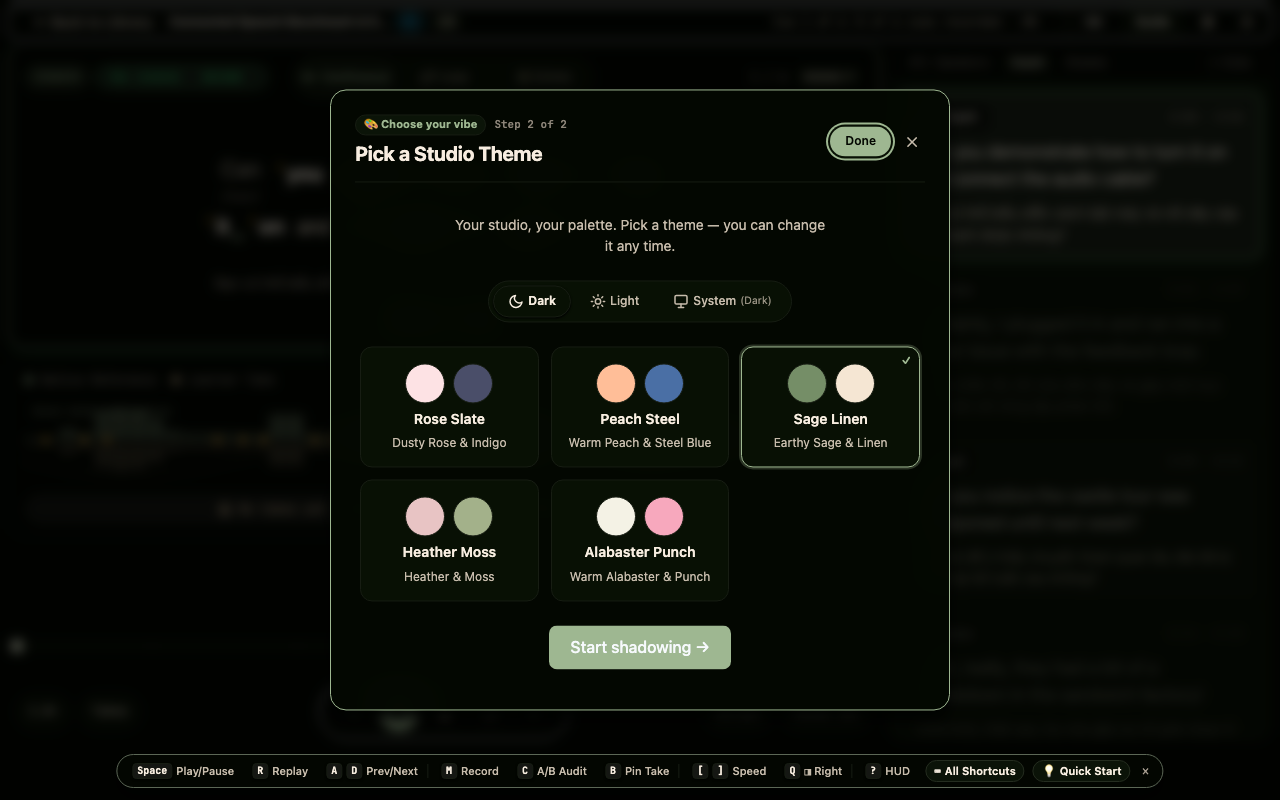
Warm, earthy palettes like Sage Linen and Copper Espresso reduce blue-light fatigue, making them ideal for high-intensity evening rehearsal sessions.
Ignoring theme contrast. Ensure dialogue stress markers (yellow pitch rises, green linking bonds) stand out clearly against your chosen background.
Onboarding Finalization & Storage State Persistence
No audio playback in this step. The workstation transitions from setup to active rehearsal, freeing the entire viewport for dialogue script immersion.
Click 'Done' to finalize onboarding. The spotlight dismisses immediately, and the player stamps `esa_onboarding_completed: 'true'` into local storage.
Once completed, the frosted backdrop fades out, revealing the full Focused Studio Workstation. The top header displays scenario metadata (CEFR B2 level, US accent), streak progression, and instant guide navigation.
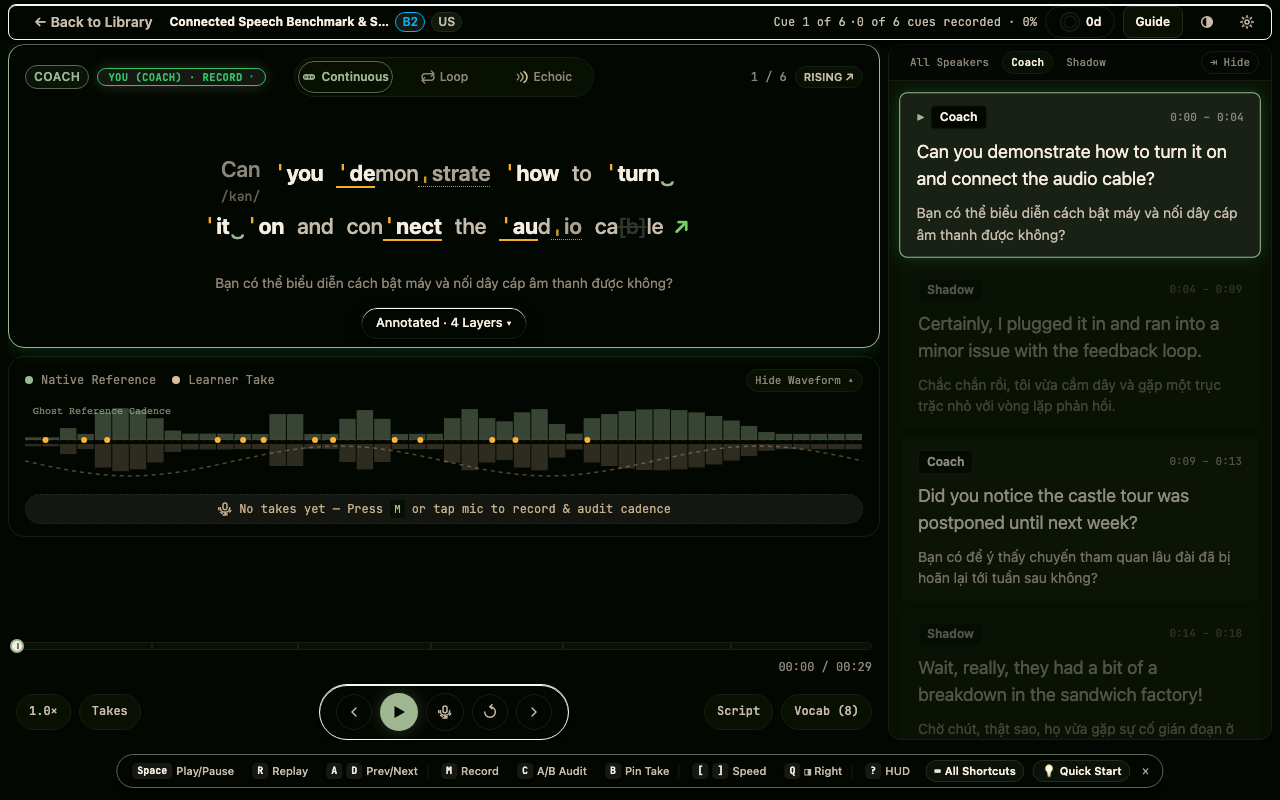
You can revisit the onboarding tutorial or change your theme at any time by pressing the Theme or Settings buttons in the Studio header.
Refreshing the page prematurely. Allowing the modal to dismiss naturally guarantees all initial state caches and audio buffers are cleanly primed.
Microphone Permission Verification & Recording Arming
Listen for room echo or background fan noise. Test your microphone volume to ensure your voice inputs cleanly without digital clipping or distortion.
Confirm browser microphone permissions when prompted. Verify that the Record Take button (🎙) mounts in the transport bar without a permission denial alert.
The workstation leverages high-fidelity Web Audio duplex recording. When microphone access is granted, the recording button is armed and ready to stream speech into local IndexedDB vaults for instant A/B review.
If practicing in a noisy environment or on mobile without a headset, you can tap the microphone button to practice in Silent Shadowing Mode without audio capture penalties.
Blocking microphone access permanently in browser settings. If accidentally blocked, click the lock icon in your browser address bar to re-enable microphone access.
Autonomous Deliberate Shadowing Session Ready
Focus on the first dialogue cue. In Echoic mode, the model plays first, giving you an isolated audio reference before prompting your spoken response.
Switch between Continuous and Echoic modes using the ARIA mode tabs or pressing 'P'. Press Space to start your first deliberate shadowing workout.
Your workstation is now completely unlocked and initialized. With keyboard navigation active, mode switching primed, and recording armed, you are ready to master spoken English through the Deliberate Shadowing Method.
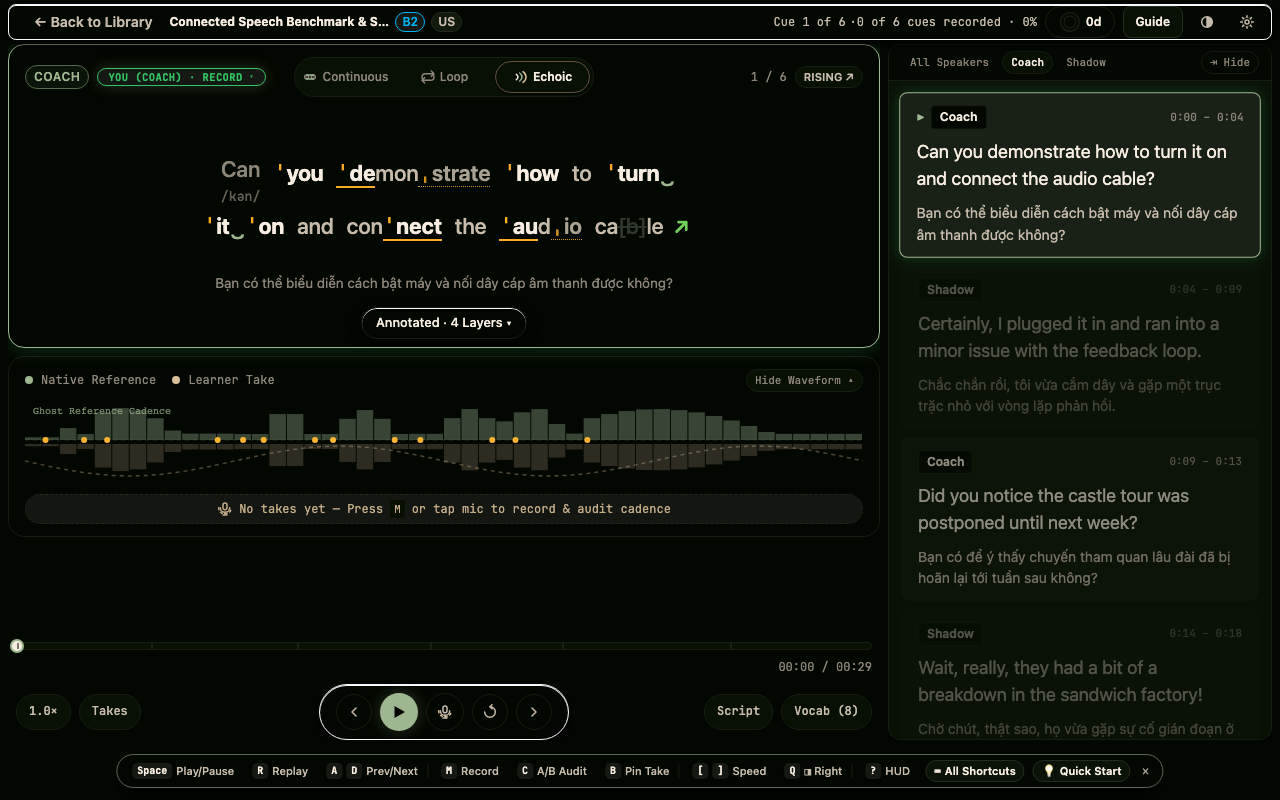
Begin your first take with full acoustic mimicry: match the native speaker's breath intake, syllable duration, and pitch fall at sentence endings.
Reading the written script before listening. Train your ears first — keep your eyes softly unfocused until the auditory model finishes playing.